Store certificates and documents
Keep every certificate with the check it belongs to.
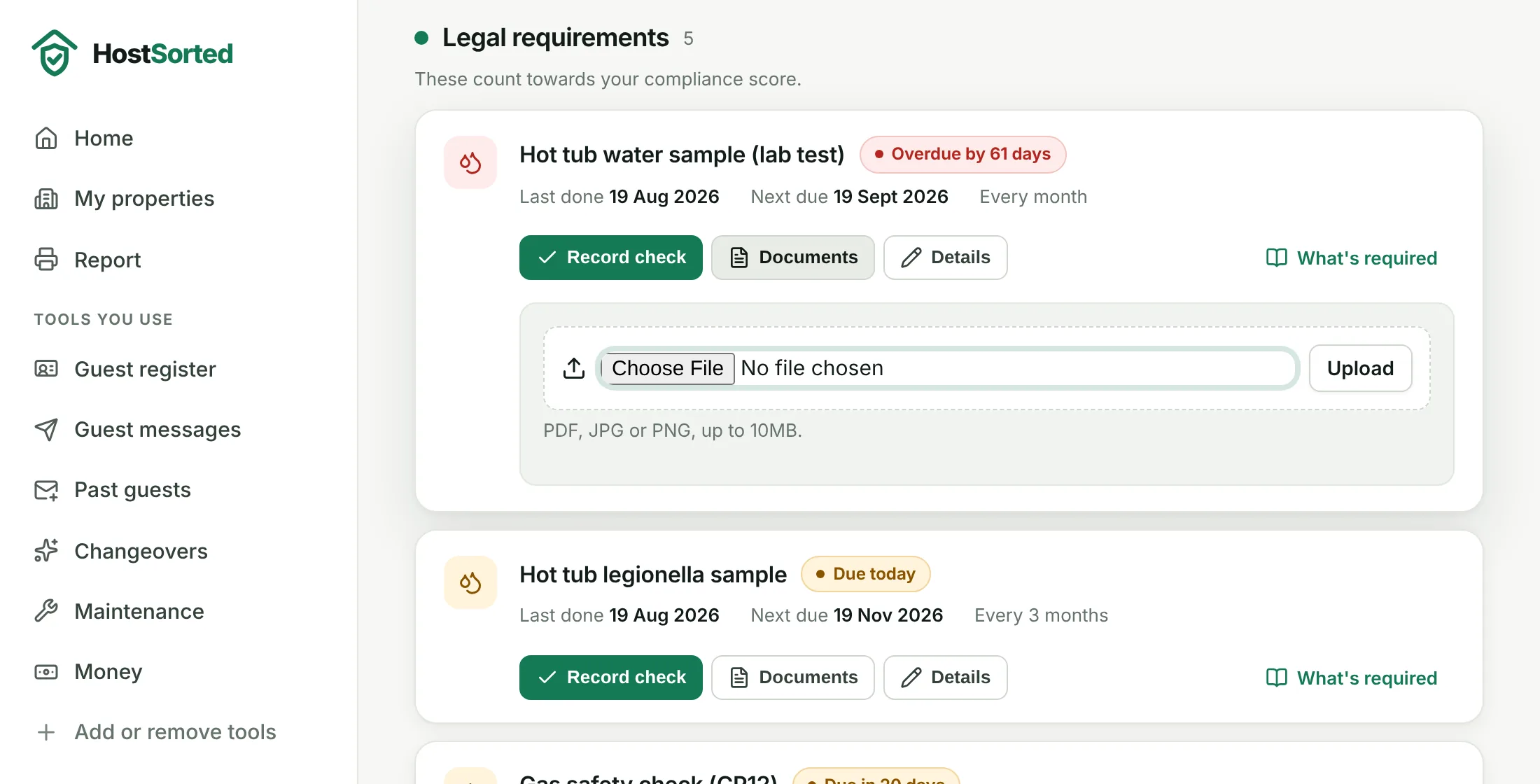
- Open the property and click Documents on the check.
- Choose a PDF, JPG or PNG up to 10MB and click Upload.
- Click a document's name to open it, or the bin icon to delete it.
Good to know
- Certificates added while recording a check are stored here too.
- Risk assessments written with the builder are filed here automatically, on the Fire risk assessment and Legionella risk assessment checks.
Screenshots show a sample account with made-up properties. Still stuck? Email [email protected] and we'll help.