Set up email reminders
Choose how far ahead you are reminded before checks are due.
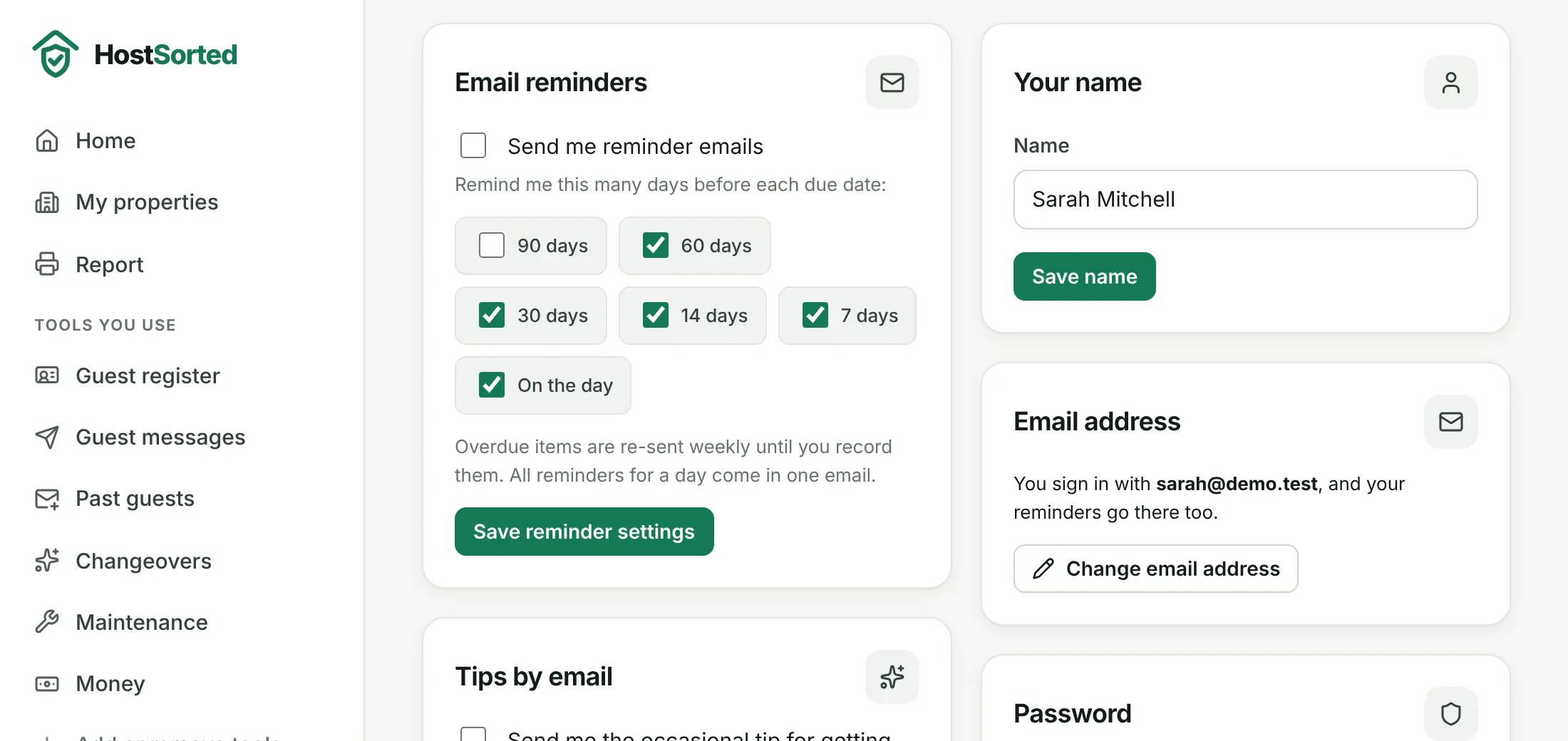
- Go to Account in the sidebar.
- Under Email reminders, make sure Send me reminder emails is ticked.
- Choose when to be reminded: 90, 60, 30, 14 or 7 days before, and on the day.
- Click Save reminder settings.
Good to know
- Everything due on the same day comes in one email. Overdue checks are re-sent weekly until you record them.
- On a team, admins and managers with reminders switched on get the account's reminders too.
Screenshots show a sample account with made-up properties. Still stuck? Email [email protected] and we'll help.