Track income and expenses
Record money in and out, by property and UK tax year.
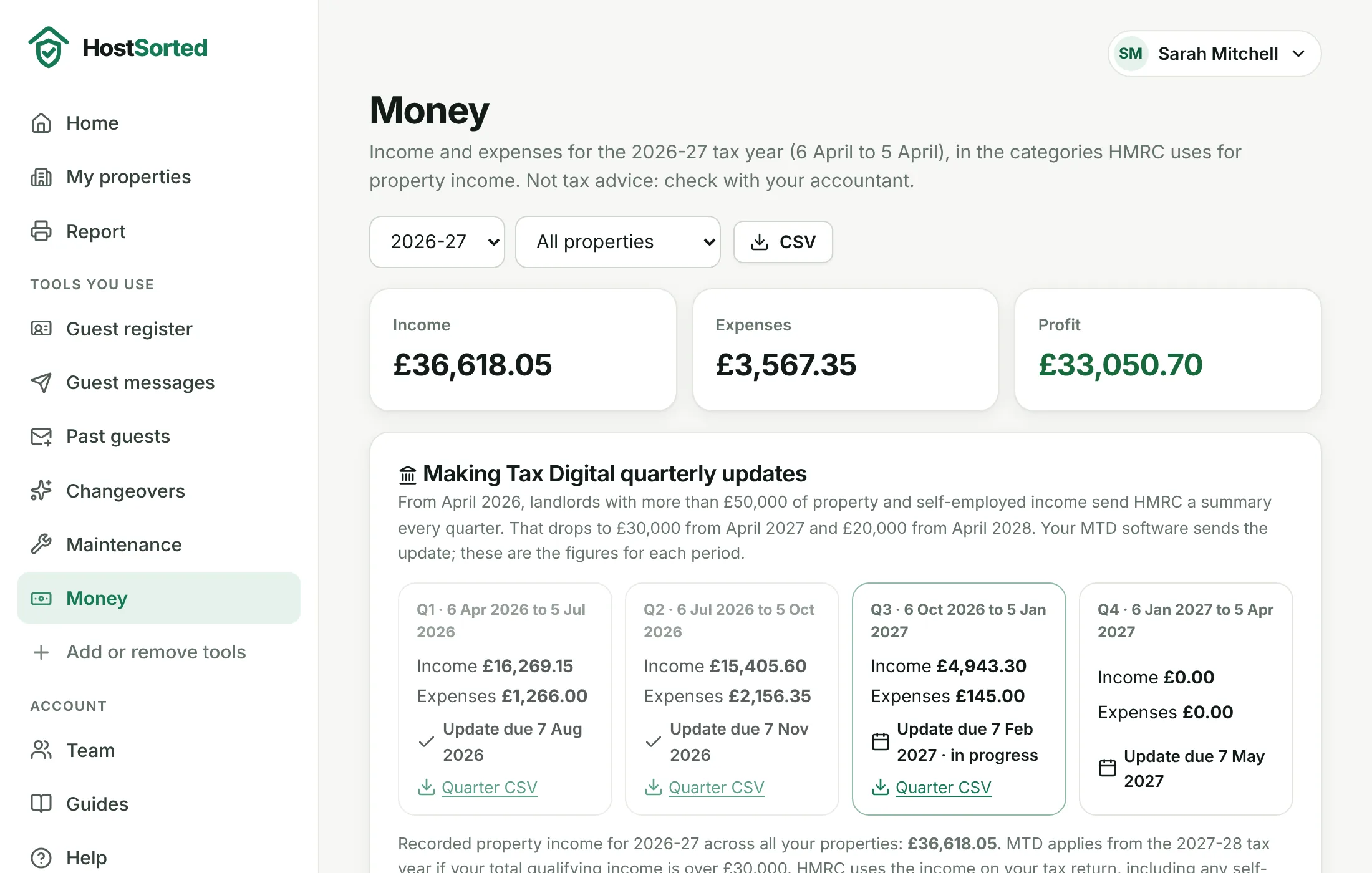
- Switch on Money under Features, then open Money in the sidebar or the Money tab on a property.
- Choose Income or Expense, pick a category, and enter the date, amount and property. Add a description if it helps.
- For an expense, tap Photograph a receipt (or choose a photo or PDF). We read the date, total and likely category and fill them in for you to check, and the receipt is kept with the entry. Use Add in the Receipt column to attach one to an expense you already recorded.
- Use the tax year menu to look back, and the property menu to see one property on its own.
- Click CSV to download the entries for your accountant or your tax return.
Good to know
- Categories follow the property pages of a Self Assessment return. This is a record-keeping tool, not tax advice.
- Owners with read-only access can’t see Money.
- HMRC expects you to keep records for at least 5 years after the 31 January deadline for that tax year. A clear photo of a receipt is an acceptable record. The CSV includes a link to each receipt.
Screenshots show a sample account with made-up properties. Still stuck? Email [email protected] and we'll help.