Visitor levy and Making Tax Digital
Levy figures from your bookings, and your income and expenses split into MTD quarters.
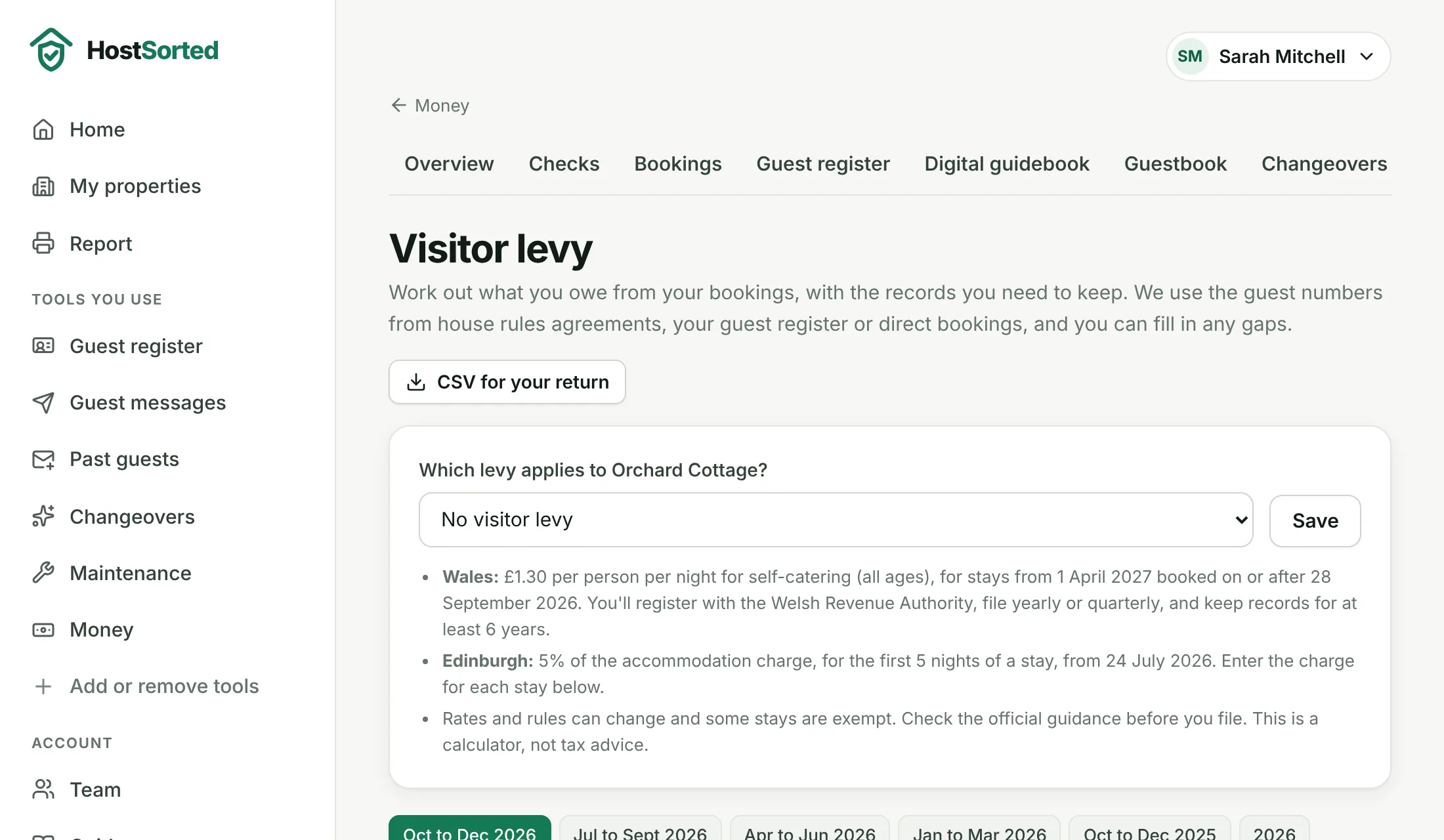
- On a property, open Money, then Visitor levy. Choose Wales or Edinburgh if one applies.
- Pick the period. Stays come from your calendars and website bookings, with guest numbers from house rules agreements and your guest register. Fill in any gaps, then download the CSV for your return.
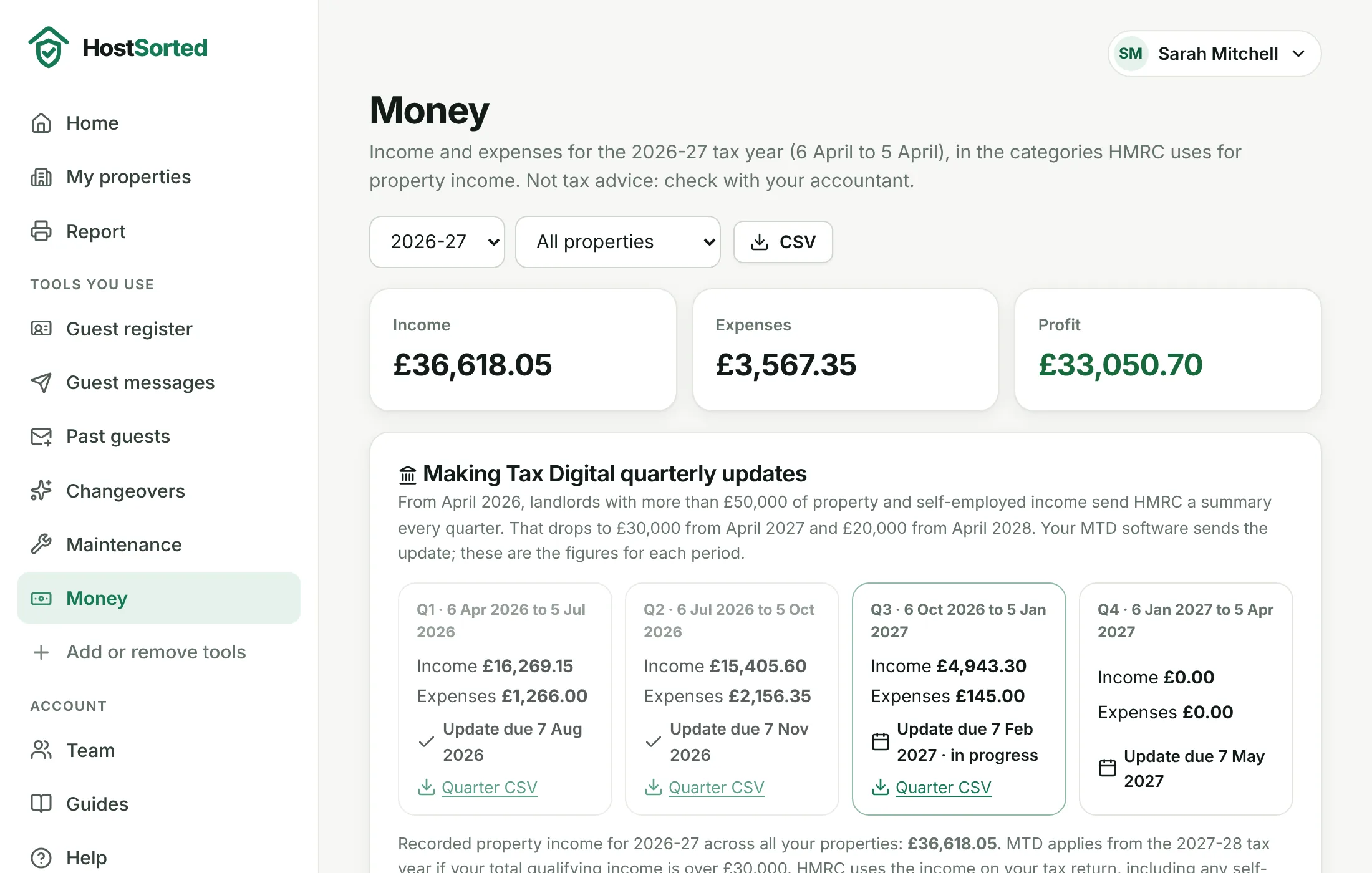
- On the Money page, Making Tax Digital shows your figures for each quarterly update period and its deadline. Download a CSV for any quarter for your MTD software or accountant.
- Click Email me before each update is due to get a reminder two weeks before each deadline.
Good to know
- HostSorted doesn't file anything with HMRC or the Welsh Revenue Authority. It gives you the figures and records.
Screenshots show a sample account with made-up properties. Still stuck? Email [email protected] and we'll help.